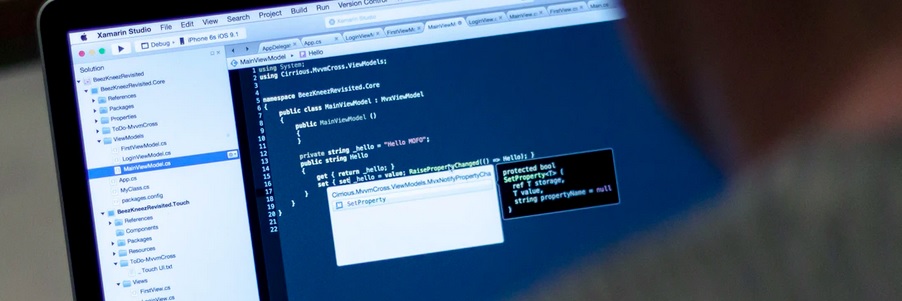
Every year OWASP updates their top 10 recommendations. These are the top 10 recommendations from OWASP. If you want to read them in detail, please check their OWASP website.
OWASP top 10
- Injection
- Broken Authentication
- Sensitive Data Exposure
- XML External Entities (XXE)
- Broken Access Control
- Security Misconfiguration
- Cross-Site Scripting (XSS)
- Insecure Deserialization
- Using Components with Known Vulnerabilities
- Insufficient Logging and Monitoring
Injection
Quite often, we expect a user to be able to input some information. A malicious user can execute unwanted code or even add an un-wanted argument, providing unwanted information or bringing the application down. It is always a good idea to validate user input.
Vulnerable code
var startProcess = new StartProcess();
p.StartInfo.FileName = "RunSomeExecutableFile.exe";
p.StartInfo.Arguments = " -user " + input + " -role user";
p.Start();
Secure code
Regex rgx = new Regex(@"^[a-zA-Z0-9]+$");
if(rgx.IsMatch(input))
{
    var startProcess = new StartProcess();
    p.StartInfo.FileName = "RunSomeExecutableFile.exe";
    p.StartInfo.Arguments = " -user " + input + " -role user";
    p.Start();
}
XPath injection
It’s common to use XML data and query elements of XML based on the user’s input. It is very vital to validate the user’s input when querying the XML element. If the input is not validated, malicious users can run a query and access XML structure or full XML data.
Vulnerable code
var doc = new XmlDocument {XmlResolver = null};
doc.Load("/config.xml");
var results = doc.SelectNodes("/Config/Devices/Device[id='" + input + "']");
Secure code
Regex rgx = new Regex(@"^[a-zA-Z0-9]+$");
if(rgx.IsMatch(input)) //Additional validation
{
    XmlDocument doc = new XmlDocument {XmlResolver = null};
    doc.Load("/config.xml");
    var results = doc.SelectNodes("/Config/Devices/Device[id='" + input + "']");
}
Let’s take another real-life example of Xpath injection. Imagine you have an XML file used for user authentication and stores all user’s information. Here is an example of the XML data
<?xml version="1.0" encoding="utf-8"?>
<Employees>
   <Employee ID="1">
      <FirstName>Anil</FirstName>
      <LastName>Singh</LastName>
      <UserName>ASingh</UserName>
      <Password>Password1234</Password>
      <Type>SuperAdmin</Type>
   </Employee>
   <Employee ID="2">
      <FirstName>Peter</FirstName>
      <LastName>Pan</LastName>
      <UserName>PPan</UserName>
      <Password>GoodPassword</Password>
      <Type>User</Type>
   </Employee>
</Employees>
You have vulnerable C# code for authenticating a user, accepting username and password.
Vulnerable code
String FindUserXPath;
FindUserXPath = "//Employee[UserName/text()='" + Request("Username") + "' And
        Password/text()='" + Request("Password") + "']";
A malicious user can send a wrong username and password and can access XML structure and its data without knowing the correct username and password. It is always advisable to escape user input or use parameterised XPath interface.
Secure code
String FindUserXPath;
FindUserXPath = "//Employee[UserName/text()='" + Request("Username").Replace("'", "'") + "' And
        Password/text()='" + Request("Password").Replace("'", "'") + "']";
File or directory path traversal
File or directory path traversal attack allows a malicious attacker to access files or folder structure that is not intended to be accessed.
Vulnerable code
[RedirectingAction]
public ActionResult Download(string fileName)
{
    byte[] fileBytes = System.IO.File.ReadAllBytes(Server.MapPath("~/ClientDocument/") + fileName);
    return File(fileBytes, System.Net.Mime.MediaTypeNames.Application.Octet, fileName);
}
Secure code
Never try to guess user’s input and remove unwanted characters from user’s input.
private static readonly char[] InvalidFilenameChars = Path.GetInvalidFileNameChars();

[RedirectingAction]
public ActionResult Download(string fileName)
{
    if (fileName.IndexOfAny(InvalidFilenameChars) >= 0)
        return new HttpStatusCodeResult(HttpStatusCode.BadRequest);

    byte[] fileBytes = System.IO.File.ReadAllBytes(Server.MapPath("~/ClientDocument/") + fileName);
    return File(fileBytes, System.Net.Mime.MediaTypeNames.Application.Octet, fileName);
}
Cross site scripting (XSS)
Ensure that dynamic content from a user or data store can not be used to inject malicious javascript on a webpage. A malicious user can gain access to cookies and sessions id. It is always a good idea to make cookies HTTP-only. It will make sure that cookies can be read, saved and sent by browser only and can not be modified by the malicious javascript.
Vulnerable code
public class TestController : Controller
{
    [HttpGet(""{myParam}"")]
    public string Get(string myParam)
    {
        return "value " + myParam;
    }
}
Secure code
public class TestController : Controller
{
    [HttpGet(""{myParam}"")]
    public string Get(string myParam)
    {
        return "value " + HttpUtility.HtmlEncode(myParam);
    }
}
SQL injection
Always use parametrised SQL queries.
Vulnerable code
var cmd = "SELECT * FROM Users WHERE username = '" + input + "' and role='user'";
ctx.Database.ExecuteSqlCommand(
    cmd);
Secure code
var cmd = "SELECT * FROM Users WHERE username = @username and role='user'";
ctx.Database.ExecuteSqlCommand(
    cmd,
    new SqlParameter("@username", input));
Weak random number
Random number used very often in programming. You will see very high use of the random number in games and betting industry applications. If a random number is not secure, a malicious user can predict the number.
Vulnerable code
var rnd = new Random();
Secure code
using System.Security.Cryptography;
var rnd = RandomNumberGenerator.Create();
Weak hashing
MD5 (Message Digest) and SHA1 (Secure hash algorithm) are hashing algorithms used very commonly in programming. MD5 is faster than SHA1 but less secure.
Vulnerable code
MD5 md5Hasher = MD5.Create();
Secure code
MD5 md5Hasher = MD5CryptoServiceProvider.Create();
Cookies without secure flag
The Secure flag is a directive to the browser to ensure that the cookie is not sent for insecure communication.
Vulnerable code
var cookie = new HttpCookie("FirstName");
Secure code
var cookie = new HttpCookie("FirstName");
cookie.Secure = true;
cookie.HttpOnly = true;
Validate input attribute not set
Vulnerabele code
public class TestController
{
    [HttpPost]
    [ValidateInput(false)]
    public ActionResult ControllerMethod(string input) {
        return Something(input);
    }
}
Secure code
public class TestController
{
    [HttpPost]
    public ActionResult ControllerMethod(string input) {
        return Something(input);
    }
}
Coress-site request forgery
Cross-Site Request Forgery (CSRF) is an attack that forces an end user to execute unwanted actions on a web application. An attacker may trick the users of a web application into malicious activities. If the victim is a regular user, a successful CSRF attack can force the user to perform requests like transferring funds, changing their email address etc. It is always a good idea to implement an anti-forgery token.
Vulnerable code
public class TestController
{
    [HttpPost]
    public ActionResult ControllerMethod(string input)
    {
        // Some action
    }
}
Secure code
public class TestController
{
    [HttpPost]
    [ValidateAntiForgeryToken]
    public ActionResult ControllerMethod(string input)
    {
        // Some action
    }
}
Open redirect
Always make sure that you use relative URL and not absolute path
Vulnerable code
[HttpPost]
public ActionResult SomeAction(SomeModel model, string returnUrl)
{
    if (!String.IsNullOrEmpty(returnUrl))
    {
       return Redirect(returnUrl);
    }
}
Secure code
[HttpPost]
public ActionResult SomeAction(SomeModel model, string returnUrl)
{
    if (Url.IsLocalUrl(returnUrl))
    {
       return Redirect(returnUrl);
    }
}

This is one of the best tutorial so far I have read. Very nicely have covered all areas.
Thanks Roman for your kind words